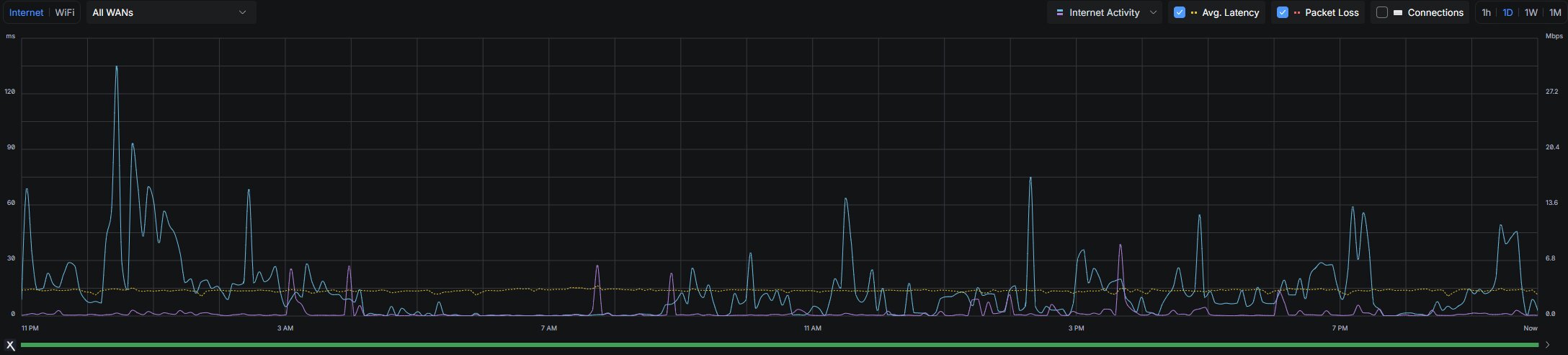
Why Monitoring Is Important
Monitoring helps show whether a network or service is actually working the way it should. Without monitoring, a person may only notice a problem after a website goes down, a server stops responding, or the internet becomes slow. In a home lab, even simple monitoring is useful because it makes it easier to see uptime, device status, and service health from one place.
That can save time during troubleshooting because the first question is no longer whether something is down, but which part of the setup is having trouble. A dashboard or status page also helps a student connect changes they made to the results they are seeing later.
Using Monitoring Day to Day
Good monitoring is not only about showing red or green status lights. It is also about building habits that make a lab easier to maintain. A person can watch for failed pings, high CPU usage, storage problems, or services that stop unexpectedly. Over time this helps with learning because patterns become easier to recognize.
If a certain service keeps failing after updates, or if one device has higher latency than expected, those details can guide the next troubleshooting step. This page also includes a live clock as the required JavaScript element because time and timestamps matter when looking at monitoring data.